The short answer
Out of Office is an iPhone and iPad app that shields your work apps after hours. You pick Slack, Teams, Outlook or any other work app with Apple’s picker, set your hours, and during those hours opening one shows a calm screen instead of your inbox, while everything else on your phone stays open.
What is the Out of Office app?
Out of Office is an app for iPhone and iPad, running iOS or iPadOS 17 or later, that draws a line between your work apps and the rest of your phone. It’s built on Apple’s Screen Time framework, so the block is the same system shield Apple uses, and it keeps working with the app closed.
It has one job: keeping work out of your evenings, weekends and time off when Slack, Microsoft Teams, Outlook or Gmail live on your personal phone. It isn’t a screen-time reducer. There are no daily budgets, no scores and no streaks, and nothing on your phone that isn’t work gets touched.
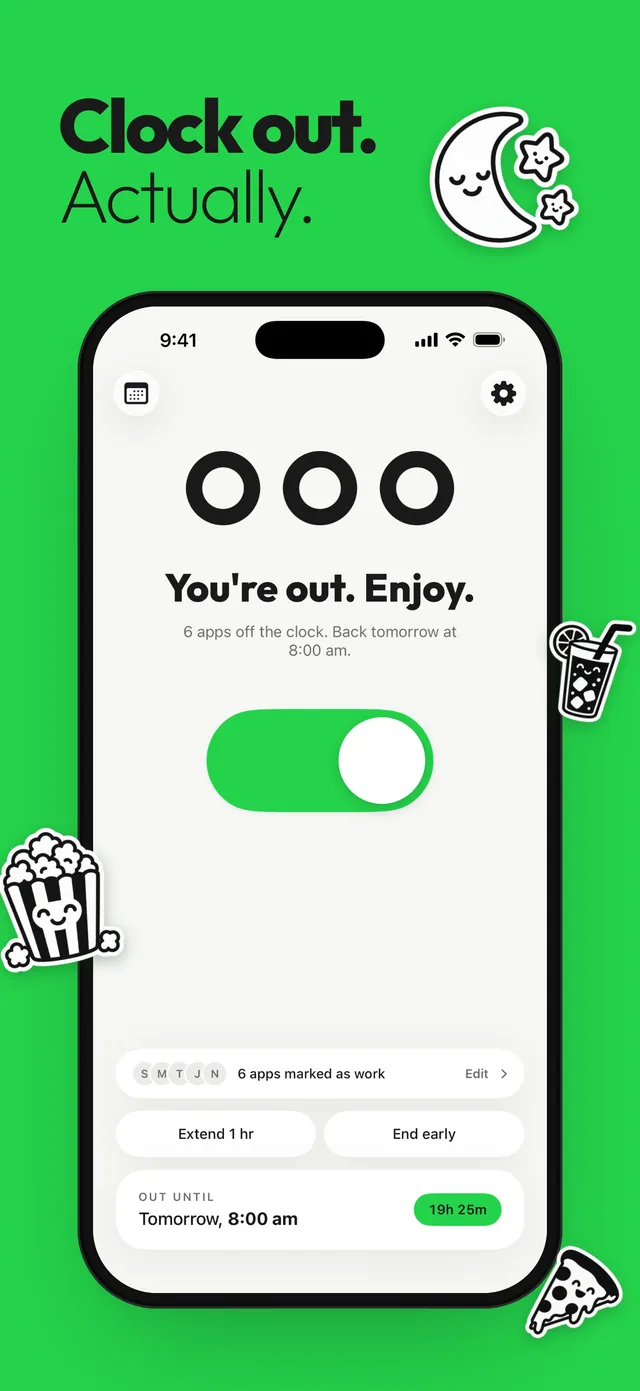
How does Out of Office work?
Setup takes four steps, and you only do it once.
- Pick your work apps. Apple’s app picker opens inside Out of Office. Tick Slack, Teams, Outlook, Gmail or any other app you use for work. You can also pick whole app categories and websites.
- Choose your hours. Start with Evenings, Weekends, a custom schedule, or a Vacation date range.
- Flip the switch, or let the schedule flip it. The big switch on the home screen turns Out of Office on right now. Schedules turn it on and off for you.
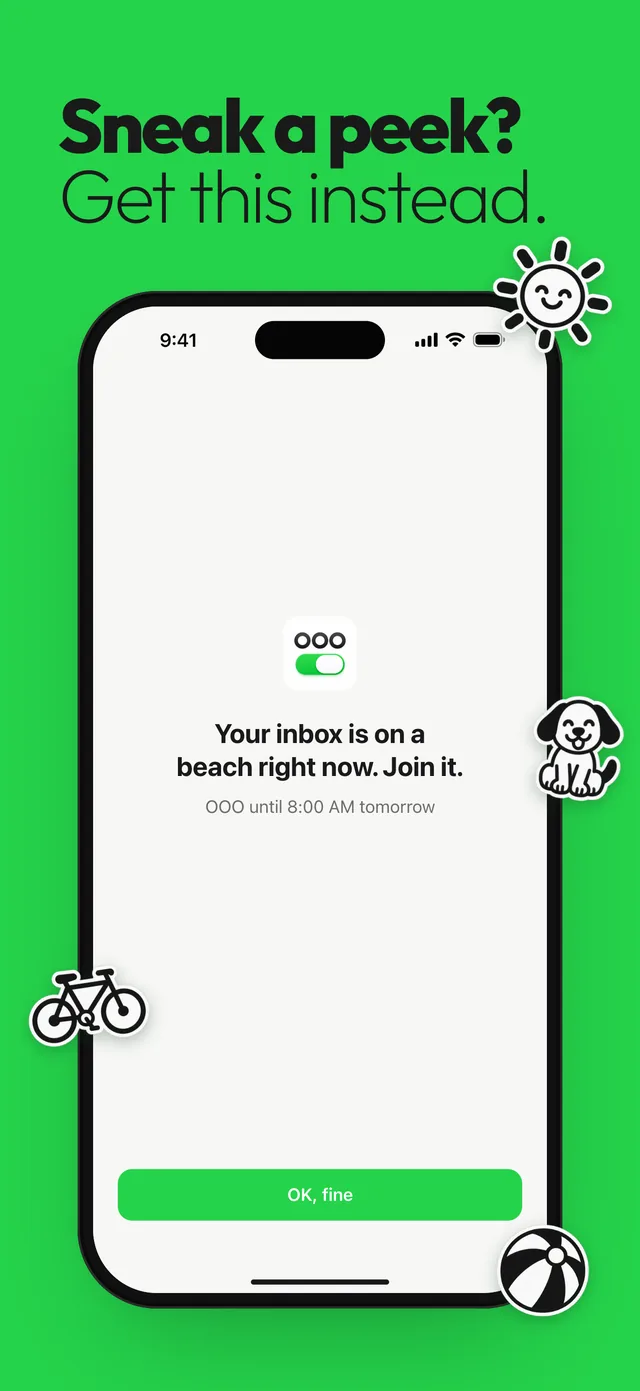
- Meet the shield. While you’re out, opening a work app shows a shield instead of the app. The title is a joke, like “Your inbox is on a beach right now. Join it.” The subtitle states the fact, like “OOO until 8:00 AM tomorrow”. The only button says “OK, fine”.
Your maps, music, camera, banking app and family chat stay open the whole time. Only the apps you picked are shielded.
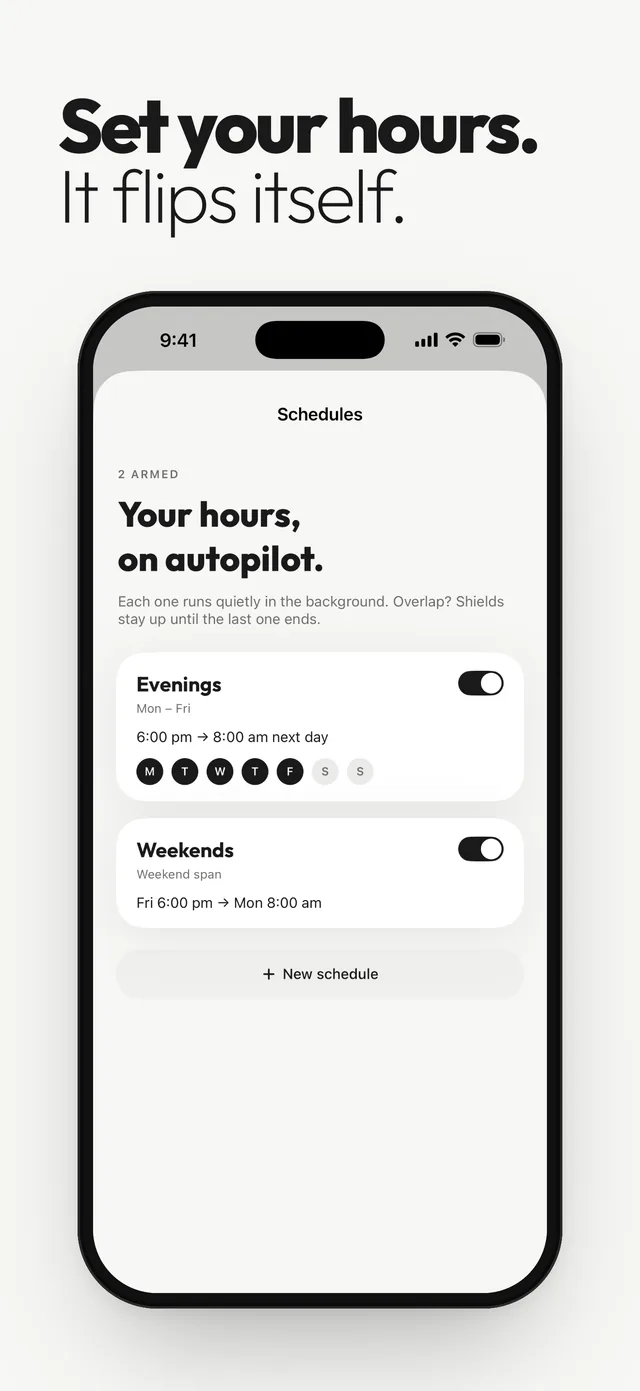
Schedules, the switch and quick options
Schedules are shaped like a working week, not like a screen-time budget.
- Evenings: 6:00 PM to 8:00 AM, Monday to Friday, by default. Change the times to match your day.
- Weekends: Friday 6:00 PM to Monday 8:00 AM. There’s more on this in how to block work apps on weekends.
- Custom: the days and times you choose, like a four-day week or a late shift.
- Vacation: a one-off date range. Pick the day it starts and the day your apps unblock, and it runs once.
Schedules can overlap. If Evenings and Weekends both cover Friday night, shields stay up until the last one ends.
Real life doesn’t always follow a schedule, so the switch has quick options. When Out of Office is off, tap “1 hour”, “Until 9 am” or “All weekend”, which turns it on now until Monday at 8:00 AM. When it’s on, tap “Extend 1 hr” or “End early”.
Heads-ups, widgets and the app icon
Out of Office tells you before it flips. A heads-up arrives before a session starts, like “OOO starts in 15 min. Wrap it up. Work apps go quiet at 6:00 PM.”, and another before it ends. You choose the lead time (off, 5 min, 15 min or longer), and you can turn each one off.
Home Screen widgets come in small, medium and large sizes, and there are Lock Screen widgets too. They turn green when you’re out, so you can see your status at a glance, and they include an interactive toggle, so you can flip the switch without opening the app. The app icon can also switch between OFF and ON versions.
Is Out of Office private?
When you pick apps in Apple’s picker, Apple hands Out of Office opaque tokens, not app names. The app can shield those apps, but it never learns which apps you picked. Apple’s developer documentation describes the picker as a way to choose apps, websites and categories “without revealing their choices to the app.”
Your picks and your schedules stay on your device, and there’s no account to create. Nothing about your work apps needs to leave your phone for the shield to work.
Looking for an out of office email reply?
Out of Office doesn’t send auto-replies. If you want people to get an “I’m away” message, set that up in your email app or account. The guide to setting an out of office reply on iPhone walks through Outlook, Gmail and Teams.
The two work well together. The auto-reply tells people you’re away, and Out of Office stops you opening the inbox to check. Before a trip, also read how to turn off work email on vacation.
What Out of Office doesn’t do
For the notification side, start with how to stop Slack notifications after work and how to set quiet hours on iPhone. If you want to cut social media time all day, a general screen-time blocker or Apple’s own limits will suit you better.
To see how Out of Office compares with other options, read how to choose an app blocker for work apps and Screen Time Downtime vs an app blocker. Apple’s built-in tools are covered step by step in how to block work apps after hours on iPhone.
Questions
Is Out of Office an email auto-reply app?
No. Out of Office shields your work apps on iPhone and iPad during your off hours. To send automatic replies, set an out of office message in Outlook, Gmail or your email account.
Does Out of Office stop work notifications?
Not by itself. The shield stops a work app from opening, so pair it with the app’s own notification schedule or a Focus if you also want silence.
Can I open a work app while Out of Office is on?
Yes. Flip the switch off or tap End early and your apps open again. There’s no mode that locks you out.
Does Out of Office block apps on my Mac?
No. The Mac app is a companion that shows your status and schedules. Out of Office only shields apps on iPhone and iPad.
Which devices does Out of Office work on?
iPhone and iPad running iOS or iPadOS 17 or later.
Sources
Menu names change between app and iOS versions. These are the official pages, checked October 9, 2026.